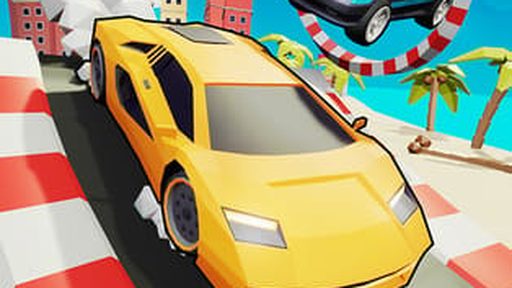
Crazy Cars
About Crazy Cars
Playing Crazy Cars takes exactly one click: the game runs free in your browser with nothing to download. Expect to learn the track as much as the car — repetition here is progress, not filler.
It asks for keyboard and mouse and a little patience, in that order. Touch controls are supported, so a phone in a queue is a perfectly valid setup. Nothing to lose but the next half hour.
How to Play Crazy Cars
- Press Play and let the game load in your browser — it only takes a few seconds.
- Use your keyboard and mouse to control the game; the opening moments introduce the basics.
- Chase your own best score and use fullscreen for the real experience.
Controls: Keyboard / Mouse
Tips for Crazy Cars
- Brake before the corner, not in it — exit speed wins races.
- Learn one track properly instead of sampling all of them.
- Fullscreen mode helps more than you'd expect; fewer distractions, better reactions.
Crazy Cars — FAQ
Can I play Crazy Cars at school or work?
Crazy Cars runs on our servers as a normal web page, so it works anywhere this site loads — no downloads or special permissions needed.
What games are similar to Crazy Cars?
If you enjoy Crazy Cars, check the related games section below the game — we host plenty of other free action games you can play instantly.
Can I play Crazy Cars without downloading anything?
Nothing to install. The game runs in the browser tab, so it works on school, office, or home computers without admin rights.
Game Info
- Category
- Action
- Platform
- Browser
- Price
- Free
- Mobile
- Yes
- Fullscreen
- Supported
- Last checked
- July 2026
More Action Games
1
⚡ Action

10 Minutes Till Dawn
⚡ Action
10-103 Null Kevin
⚡ Action
12 Mini Battles
⚡ Action

1v1.lol
⚡ Action
2-3-4 Player Games
⚡ Action
20 Small Mazes
⚡ Action
3Dash
⚡ Action
4th And Goal
⚡ Action
500 Caliber Contractz
⚡ Action

8 Ball Classic
⚡ Action

9007199254740992
⚡ Action