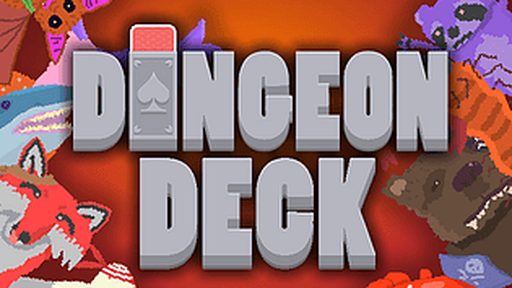
Dungeon Deck
About Dungeon Deck
No launcher, no install wizard, no account screen — Dungeon Deck just starts when you do. Expect progression with real weight — choices, upgrades and a difficulty curve that respects preparation.
It's played with keyboard and mouse, so there's no setup beyond your hands and the screen. Playing on a phone works fine here; the game adapts to touch without complaint.
How to Play Dungeon Deck
- Press Play and let the game load in your browser — it only takes a few seconds.
- Use your keyboard and mouse to control the game; the opening moments introduce the basics.
- Learn from each attempt — early failures are the tutorial.
Controls: Keyboard / Mouse
Tips for Dungeon Deck
- Do the optional content early — the power gap it creates carries the whole game.
- Stock consumables before anything that looks like a boss arena.
- If you hit a wall, take one honest break. Fresh eyes solve most walls.
Dungeon Deck — FAQ
Does Dungeon Deck require an install?
Nothing to install. The game runs in the browser tab, so it works on school, office, or home computers without admin rights.
Can I play Dungeon Deck on my phone?
It does. Dungeon Deck works on mobile browsers, though a desktop with a keyboard can still feel more precise.
What games are similar to Dungeon Deck?
If you enjoy Dungeon Deck, check the related games section below the game — we host plenty of other free rpg games you can play instantly.
Is Dungeon Deck unblocked?
Because Dungeon Deck is a regular browser page with nothing to install, it typically works on school and office networks where this site is reachable.
Game Info
- Category
- RPG
- Platform
- Browser
- Price
- Free
- Mobile
- Yes
- Fullscreen
- Supported
- Last checked
- July 2026
More RPG Games
Baby Chicco Adventure
🧙 RPG
Deltarune: A Different Snowgrave
🧙 RPG
Die in the Dungeon
🧙 RPG
Dungeon Raid
🧙 RPG
Dungeons And Degenerate Gamblers
🧙 RPG
Dungeons And Degenerate Gamblers Debug
🧙 RPG
Folder Dungeon
🧙 RPG

Kill The Ice Age Baby Adventure
🧙 RPG
Onebit Adventure
🧙 RPG
Pokemon Academy Life: Forever!
🧙 RPG
Possess Quest
🧙 RPG

Super Pickleball Adventure
🧙 RPG