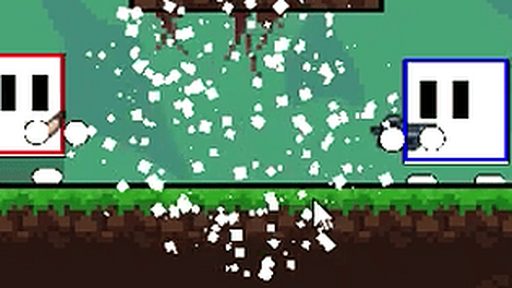
Pixel Warfare
About Pixel Warfare
No launcher, no install wizard, no account screen — Pixel Warfare just starts when you do. Positioning does the quiet work: the players who win fights usually won them before firing.
It asks for keyboard and mouse and a little patience, in that order. Playing on a phone works fine here; the game adapts to touch without complaint. Worst case, you lose five minutes finding out it's not for you. Best case is considerably longer.
How to Play Pixel Warfare
- Press Play and let the game load in your browser — it only takes a few seconds.
- Use your keyboard and mouse to control the game; the opening moments introduce the basics.
- Chase your own best score and use fullscreen for the real experience.
Controls: Keyboard / Mouse
Tips for Pixel Warfare
- Fight near cover, reload behind it.
- Control your fire in bursts; sustained spray is mostly noise.
- Short focused sessions beat long tired ones for improving at any skill game.
Pixel Warfare — FAQ
Does Pixel Warfare work on mobile?
It does. Pixel Warfare works on mobile browsers, though a desktop with a keyboard can still feel more precise.
Can I play Pixel Warfare at school or work?
Pixel Warfare runs on our servers as a normal web page, so it works anywhere this site loads — no downloads or special permissions needed.
Do I need to download Pixel Warfare?
No. Pixel Warfare is a browser game: it streams in and plays instantly, no installation involved.
Game Info
- Category
- Shooting
- Platform
- Browser
- Price
- Free
- Mobile
- Yes
- Fullscreen
- Supported
- Last checked
- July 2026
More Shooting Games
2Doom
🎯 Shooting
2D Shooting
🎯 Shooting
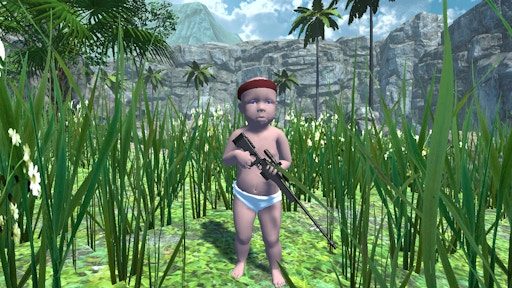
Baby Sniper In Vietnam
🎯 Shooting
Doom Emscripten
🎯 Shooting

Doom Gallery Experience
🎯 Shooting
Doomz.io: Doomori: cldoomori.html
🎯 Shooting
Doomz.io: cldoomzio.html Doomori
🎯 Shooting

Double Barrel Sniper
🎯 Shooting

Funny Shooter 2
🎯 Shooting
Guncho
🎯 Shooting
Gun Knight
🎯 Shooting

Gun Night
🎯 Shooting