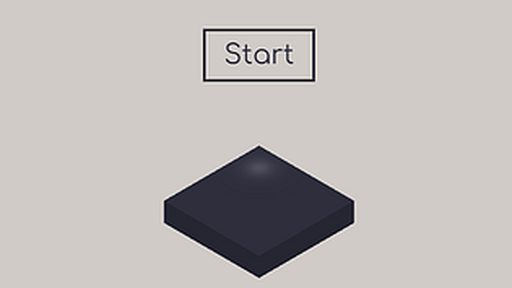
Tower Blocks
About Tower Blocks
No launcher, no install wizard, no account screen — Tower Blocks just starts when you do. The jumps are learnable — every death is information, and the difficulty is honest about it.
The whole thing is controlled with keyboard and mouse, and the basics click within a minute. Nothing to lose but the next half hour.
How to Play Tower Blocks
- Press Play and let the game load in your browser — it only takes a few seconds.
- Use your keyboard and mouse to control the game; the opening moments introduce the basics.
- Learn from each attempt — early failures are the tutorial.
Controls: Keyboard / Mouse
Tips for Tower Blocks
- Tap jumps for small gaps; hold for the big ones. Height control is the skill.
- Watch what the level shows you before the hard section — it's teaching the mechanic.
- Check the in-game options — small settings changes often make a big difference.
Tower Blocks — FAQ
Is Tower Blocks free to play?
Yes — Tower Blocks is completely free on TodayEsports. No payment, no account, and no download required.
Does Tower Blocks require an install?
Nothing to install. The game runs in the browser tab, so it works on school, office, or home computers without admin rights.
Is Tower Blocks unblocked?
Tower Blocks runs on our servers as a normal web page, so it works anywhere this site loads — no downloads or special permissions needed.
Game Info
- Category
- Puzzle
- Platform
- Browser
- Price
- Free
- Mobile
- Yes
- Fullscreen
- Supported
- Last checked
- July 2026
More Puzzle Games
2048
🧩 Puzzle
2048 Cupcakes
🧩 Puzzle
Block Blast
🧩 Puzzle
Block Blast 2
🧩 Puzzle
Block the Pig
🧩 Puzzle
Blocky Demolition Derby
🧩 Puzzle
Blocky Snakes
🧩 Puzzle
Doblox
🧩 Puzzle
Killover: clkillover.htmlKim Jong Un Tile Puzzle
🧩 Puzzle
Lucky Blocks Obby
🧩 Puzzle
Nuts and Bolts Screwing Puzzle
🧩 Puzzle
Robby Blocks
🧩 Puzzle